Buying a Motherboard: How to Choose the Right One for Your CPU
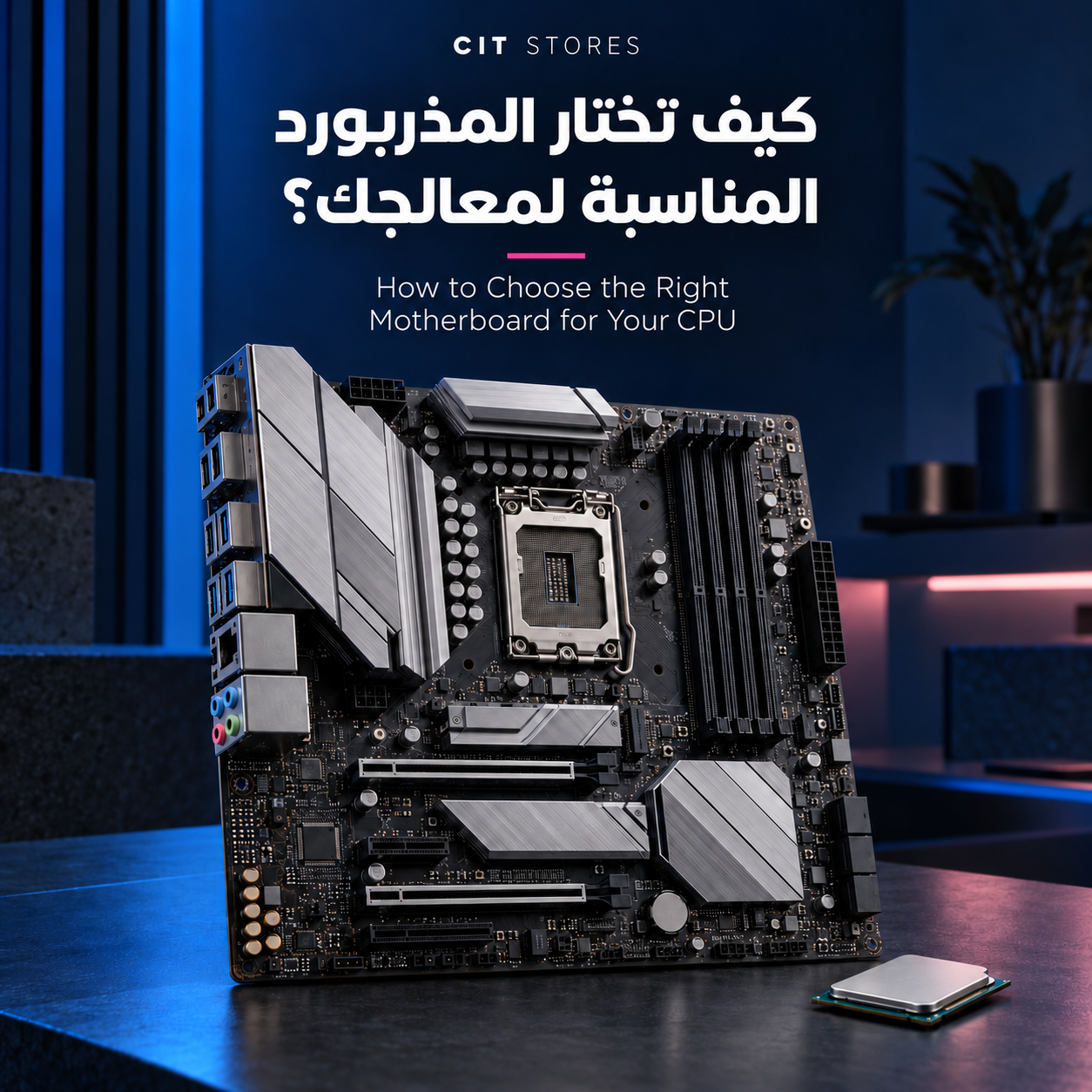
The motherboard is the part that connects every component in your PC: the processor, RAM, graphics card and storage drives. It also decides what you can install today and what you can upgrade tomorrow.
Many buyers make one of two mistakes. The first is buying a cheap board that doesn't support the processor or RAM they need. The second is spending a lot on a premium board full of features they will never use. In this guide we walk you through buying a motherboard step by step, and give you a checklist to review before you pay.
What Does the Motherboard Decide in Your PC?
-
Which processors you can install: through the socket and chipset.
-
RAM: its type, capacity and speed.
-
Storage: how many fast storage drives you can add.
-
Connectivity: USB ports, networking, Wi-Fi and Bluetooth.
-
Upgrades: how far you can upgrade the PC in the future.
An expensive motherboard won't noticeably raise your frame rate in games; that's the job of the processor and the graphics card. The motherboard's role is compatibility, stability and flexibility.

Gigabyte B650M AORUS ELITE AX ICE AM5 mATX White Motherboard
Step 1: Choose the Processor, Then the Socket
The socket is where the processor sits, and a processor can't be installed on a different socket. So choose the processor first, then pick a board that supports it. These are the sockets currently on the market:
-
LGA 1851: for Intel Core Ultra 200 processors.
-
LGA 1700: for 12th, 13th and 14th Gen Intel Core processors.
-
AM5: for AMD Ryzen 7000, 8000 and 9000 processors, and AMD has announced continued support for years to come.
-
AM4: for older AMD Ryzen processors such as the Ryzen 5000 series, suitable for budget upgrades only.
Important note before buying an Intel board: Intel is preparing to launch Core Ultra 400 processors on a new socket, LGA 1954, in early 2027, and has said it will support more than one generation. This means LGA 1851 and LGA 1700 boards won't receive new processors. Buy one if it fits your needs today, not because you plan to upgrade the processor on it later. If future upgrades matter to you, the AM5 platform is currently the clearer choice.
Step 2: Choose the Right Chipset
The chipset decides the board's features within the same socket, such as overclocking support, number of ports and PCIe speed.
Intel Chipsets for LGA 1851
-
Z890: high-end. Supports CPU and memory overclocking, with more ports.
-
B860: mid-range, and the best fit for most gaming PCs.
-
H810: entry-level, for office PCs.
Intel Chipsets for LGA 1700
-
Z790: high-end, suited to K-series processors.
-
B760: mid-range.
-
H610: entry-level.
AMD Chipsets for AM5
-
X870E and X870: high-end. They come with USB4 and support PCIe 5.0 for both the graphics card and NVMe drives.
-
X670E and X670: the previous high-end generation, still a strong choice, often at a lower price.
-
B850 and B650: mid-range, and the best fit for most users. They usually support PCIe 5.0 for NVMe drives only, while the B650E version also supports it for the graphics card.
-
B840 and A620: entry-level.
AMD Chipsets for AM4
-
X570: high-end.
-
B550: mid-range.
-
B450 and A520: entry-level, and B450 is still widely available at good prices.
Rule of thumb: mid-range is enough for most gamers and users. High-end is for those who overclock or need a lot of ports.
Once you've settled on the socket and chipset, browse motherboards for gaming and PC builds at CIT Stores and compare the options for each platform.
Step 3: Choose a Board Size That Fits Your Case
-
ATX: the standard size. More ports and expansion slots, and needs a mid-tower or full-tower case.
-
Micro-ATX: smaller and usually cheaper, with everything most users need. Usually marked with an M in the name, such as B650M.
-
Mini-ITX: for very small builds, with only two RAM slots and harder cooling. Usually marked with an I in the name, such as B650I.
-
E-ATX: for workstations, and needs a very large case.
Make sure your case supports the board size before you buy.
Step 4: RAM Type and Number of Slots
Each board supports one type of RAM, DDR4 or DDR5, and you can't mix the two.
-
AM5 and LGA 1851 boards support DDR5 only.
-
LGA 1700 boards come in two versions, so check which one before you buy.
-
Four RAM slots are preferred for easier upgrades.
-
Check the maximum capacity and speed the board supports.
-
Make sure the board supports profiles that run your RAM at its full speed: XMP on Intel and EXPO on AMD. Many AM5 boards support XMP profiles as well.
Step 5: Storage and Expansion Slots
-
M.2 slots: for fast NVMe drives. Two slots are enough for most users, ideally with at least one PCIe 4.0 or 5.0 slot with a heatsink.
-
PCIe x16 slot: for the graphics card. A metal-reinforced slot helps with heavy cards.
-
SATA ports: for hard drives and SATA SSDs.
Step 6: Connectivity and Rear Ports
-
Wi-Fi and Bluetooth: usually indicated by WIFI or AX in the board's name, while newer Wi-Fi 7 boards show WIFI7 or BE. If you use a wired connection, you can save their cost.
-
Network port: 2.5G or higher is preferred.
-
USB ports: check how many there are, whether there's a rear USB-C port, and whether there's an internal header for your case's front USB-C port.
-
Display outputs: only matter if you'll use integrated graphics without a graphics card.
Step 7: Power Delivery (VRM)
The VRM supplies power to the processor. With mid-range processors, any good mid-range board is enough. With powerful processors such as Core i9 and Ryzen 9, choose a board with stronger power delivery and solid heatsinks, especially for long sessions and hot summers.
BIOS Flashback
Some boards let you update the BIOS from a USB drive without installing a processor or RAM. This matters if you buy a board with a BIOS version older than your processor, because it solves boot problems without needing an older processor.
How to Read a Motherboard Name
Take this example: Gigabyte B650M AORUS ELITE AX.
-
Gigabyte: the manufacturer.
-
B650: the chipset, mid-range for the AM5 platform.
-
M: Micro-ATX size.
-
AORUS ELITE: the series.
-
AX: supports Wi-Fi 6 or newer.
Top Brands and Their Series
-
ASUS: ROG for high-end, TUF Gaming for durability, and Prime for entry-level and mid-range.
-
MSI: MEG for high-end, MPG and MAG for gaming, and PRO for general use.
-
Gigabyte: AORUS for gaming, Gaming X and Eagle for mid-range, and UD and DS3H for entry-level.
-
ASRock: Taichi for high-end, Steel Legend and Phantom Gaming for gaming, and Pro for general use.
All the major brands make excellent boards. The real difference is in the chipset and series, not the brand name.
How Much Should You Spend on a Motherboard?
In most gaming PCs, the motherboard is a small share of the budget compared to the processor and graphics card. It's better to choose a mid-range board that meets your needs and put the difference toward a stronger graphics card or more RAM. To pick the right card for your budget, check our guide to graphics card types.
Tips for Buying Online in Saudi Arabia
-
Authenticity and warranty: make sure the product is genuine and new, from a trusted store with a clear warranty.
-
Open Box products: cheaper because the box has been opened, so check their condition, contents and warranty before buying.
-
BIOS version: ask about it if your processor is newer than the board.
-
Returns and exchanges: review the policy before you pay.
-
Installments: use them if your budget is tight, as many stores offer payment through Tabby and Tamara.
Pre-Purchase Checklist
-
The socket matches the processor.
-
The BIOS version supports the processor, or the board supports BIOS Flashback.
-
The RAM type (DDR4 or DDR5) matches the RAM you'll buy.
-
The board size fits your case.
-
There are enough M.2 slots for your needs.
-
Wi-Fi is included if you need it.
-
The power delivery suits your processor class.
-
The warranty and return policy are clear.
If you've gone through the checklist and you're ready, browse the motherboards available at crystal store and pick the one that suits your processor.

Gigabyte B650 Motherboard EAGLE AX AM5 DDR5
Common Mistakes When Buying a Motherboard
-
Buying a board whose socket doesn't match the processor.
-
Buying a DDR4 version for DDR5 RAM, or the other way around.
-
Pairing a powerful K or X3D processor with an entry-level board with weak power delivery.
-
Spending a lot on high-end without a real need.
-
Ignoring the case size.
-
Not checking the BIOS version.
-
Buying a board hoping to upgrade the processor later, even though its socket won't receive new processors.
What is the best motherboard for gaming?
For most gamers, a mid-range board is enough, such as B850 or B650 for AMD, or B860 or B760 for Intel.
Does the motherboard affect gaming performance?
Its direct effect on frame rate is very small. Its main role is compatibility, stability and component support.
Can any processor be installed on any motherboard?
No. The socket and chipset must match, and the BIOS version must support the processor.
Should I buy an LGA 1851 board now or wait?
If you need a PC now, LGA 1851 boards are a good choice with Core Ultra 200 processors. If you plan to upgrade the processor on the same board later, wait for Intel's new LGA 1954 platform, or go with AMD's AM5 platform.
What's the difference between B650 and X870?
X870 is high-end, with USB4 and PCIe 5.0 support for both the graphics card and NVMe drives. B650 is a mid-range option that's enough for most users at a lower price.
How do I find out which motherboard is in my PC?
Type msinfo32 in the Windows Run dialog, and you'll find the manufacturer and model under BaseBoard.
Should I buy an Open Box motherboard?
You can, to save money, as long as you check its condition, make sure all accessories are included and that it comes with a clear warranty.
A successful motherboard purchase starts with the processor, then the right chipset for your use, then a size that fits your case, then the RAM type, storage slots and connectivity. Go through the checklist before you pay and you'll avoid most compatibility problems.
Update your BIOS from the manufacturer's website from time to time for better stability and support for newer processors. You can browse motherboards for gaming and PC builds from top brands at CIT Stores, with installment options and fast delivery across the Kingdom.